

Automated Invoice Generator & AR Aging Spreadsheet (Google Sheets & Excel)
Google Sheets + Microsoft Excel · Light & Dark Modes
5-Tier Accounts Receivable Radar, Client Invoicing & Cash Flow Tracker
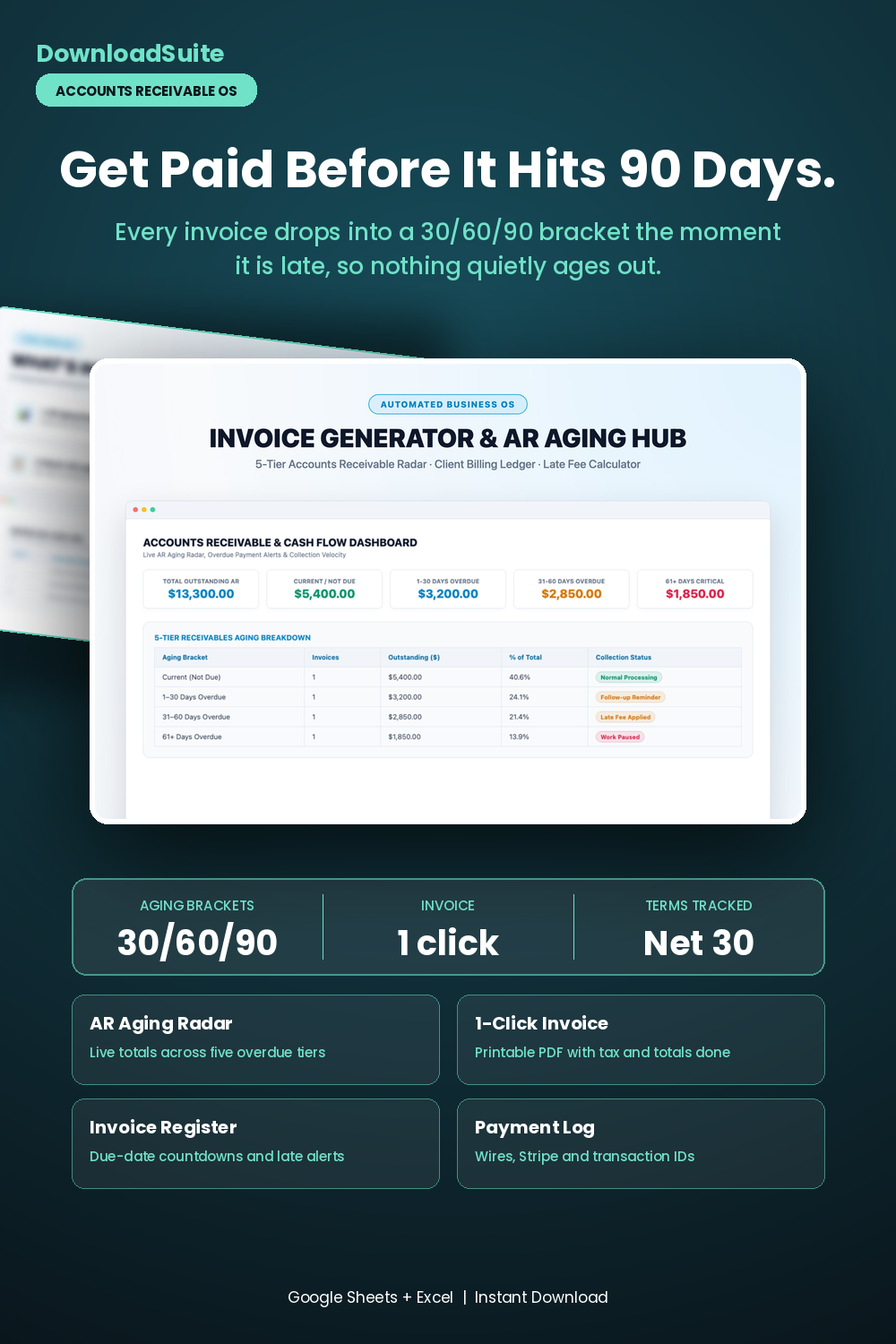
- AR Aging Command Dashboard (Live Total AR, 30/60/90+ Overdue Brackets & Health Gauges)
- 1-Click Client Invoice Generator (Printable/exportable PDF layout with automated tax & math)
- Master AR Invoice Register (Automated due-date countdowns and late payment alerts)
- Client Billing Directory (Track client accounts, standard Net terms & lifetime invoiced $)
- Payment Reconciliation Log (Track incoming wires, Stripe payments & transaction IDs)
- Companion AI Prompt Pack Included (3-tier collection emails & retainer scripts)
- Light & Dark Mode Included (Google Sheets + Microsoft Excel)
Instant digital download. All sales final. Message us anytime for help.
Take complete control of your client billing, unpaid invoices, and accounts receivable cash flow. The DownloadSuite Automated Invoice Generator & Accounts Receivable Aging Hub is an automated business command spreadsheet engineered specifically for consultants, creative agencies, freelancers, contractors, and small business owners.
Stop dealing with forgotten client invoices, late payments, and messy manual bookkeeping. This all-in-one Google Sheets and Excel system organizes your entire billing lifecycle — from generating professional, client-ready formal PDF invoices to tracking 5-tier receivables aging (Current, 1–30, 31–60, 61–90, 90+ days) and calculating overdue payment countdowns automatically.
What's Included in This System:
- AR Aging Command Dashboard: High-contrast KPI cards for Total Outstanding AR, Current Not-Due Balance, Overdue Brackets (1–30, 31–60, 61+ Days), and Critical Overdue Alerts. Includes an interactive 5-tier aging breakdown with recommended collection steps.
- 1-Click Formal Invoice Generator: Client-ready formal invoice builder formatted for instant high-resolution PDF export and printing. Automatically calculates line totals, quantity, hourly rates, sales tax percentages, and embedded payment instructions (Bank Wire, Stripe, PayPal, ACH).
- Master Accounts Receivable & Invoice Ledger: Track all issued invoices with automated due-date countdowns, payment status flags (Sent, Paid, Overdue, Critical), and dynamic
=IFS()aging bucket calculations. - Client Directory & Billing History: Organize client contact details, default payment terms (Net 15/30/60), lifetime invoiced amounts, and active balances.
- Client Payment & Reconciliation Log: Track incoming payments, transaction IDs, and reconcile bank deposits against invoices.
- AI Prompt Guide Included: Complete companion prompt pack with word-for-word prompt architectures for invoice line item drafting, 3-tier escalated collection email templates, and retainer negotiation scripts.
- Light & Dark Mode Included: High-contrast Dark Mode (Slate Navy & Cyan) for late-night client bookkeeping plus clean minimalist Light Mode.
How to Use:
- Open the Google Sheets link or native Excel workbook and enter your business billing info and payment terms on the Settings tab.
- Select a client, add billable deliverables or hourly rates on the Invoice Generator tab, and export a clean PDF invoice with 1 click.
- Log invoice numbers in the AR Ledger to track aging brackets, payment statuses, and cash flow in real time.
What's inside
- Start Here Quick-Start & Invoicing Best Practices Guide
- AR Aging Master Command Dashboard Tab
- 1-Click Client Formal Invoice Generator Sheet
- Master Accounts Receivable & Invoice Ledger Tab
- Client Billing Directory & Lifetime Value Sheet
- Payment History & Bank Reconciliation Log Tab
- Companion Invoicing & Payment Collection AI Prompt Pack (AI_PROMPT_GUIDE.md)
- Instant Google Sheets Copy Links + Native Excel .xlsx Workbooks
FAQ
Can I export or print the invoice directly to PDF for my clients?
Yes! The Invoice Generator tab is formatted for clean US Letter and A4 printing and instant high-resolution PDF export with zero gridline clipping.
How does the 5-tier accounts receivable aging work?
The sheet uses automated date formulas comparing the invoice due date against today, sorting unpaid balances into Current, 1–30, 31–60, 61–90, and 90+ days overdue.
Does it work in Excel and Google Sheets?
Yes! Both native Microsoft Excel (.xlsx) workbooks and instant Google Sheets copy links in Light and Dark themes are included.