

Paycheck Budget Spreadsheet & Zero-Based Cash Flow Planner
Google Sheets + Excel · Light & Dark Modes
Biweekly, Weekly & Semi-Monthly Paycheck Planner with Automated Bill Calendar
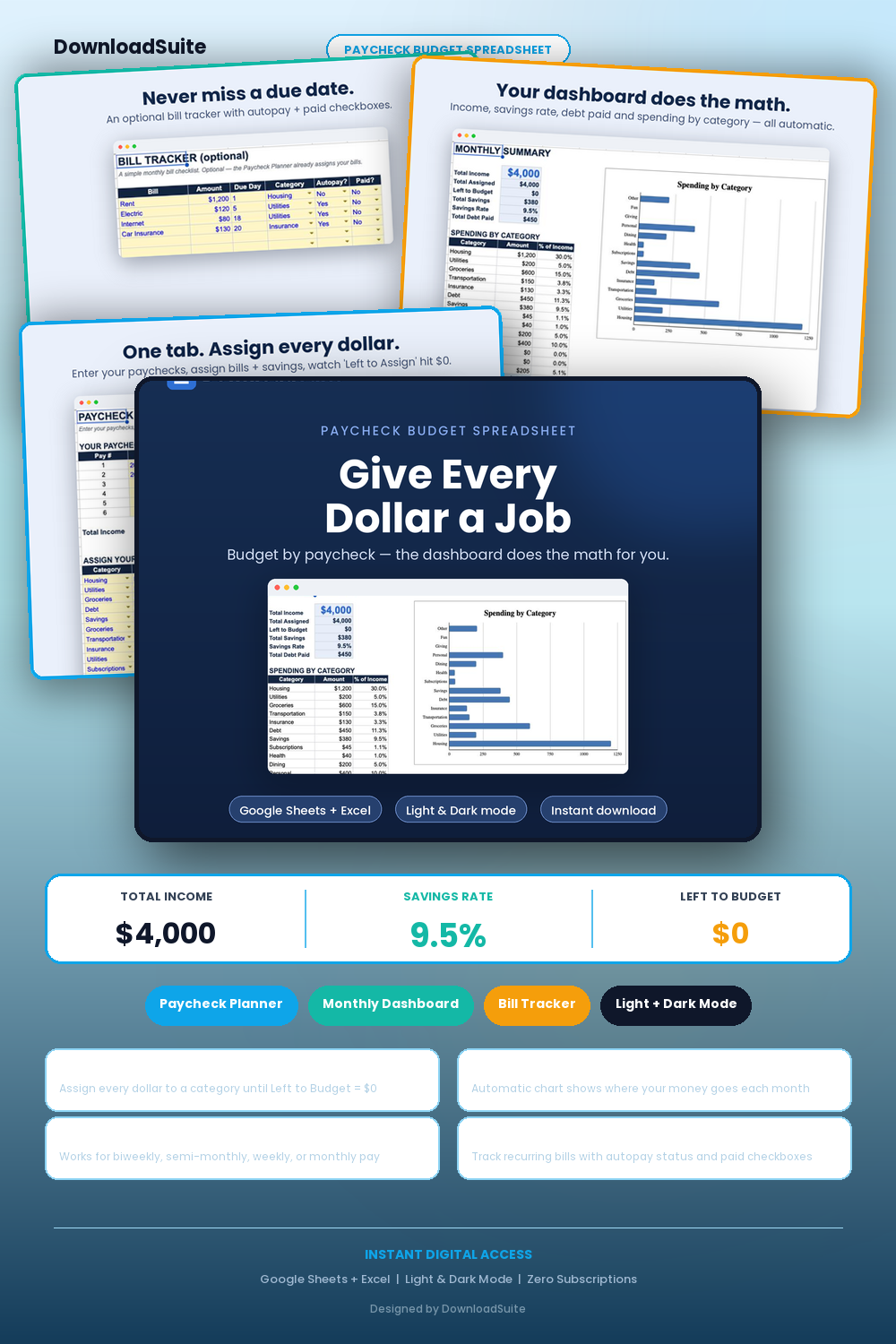
- Paycheck Allocation Planner (Supports biweekly, semi-monthly, weekly, and monthly paychecks)
- Zero-Based Budgeting Engine (Ensures every dollar is assigned to bills, savings, or debt)
- Monthly Summary Dashboard (Auto-aggregates category spending, savings rate % & debt paid)
- Bills & Due Dates Calendar Matrix with Auto-Populating Payday Alignment
- Sinking Funds & Savings Goal Trackers with Visual Progress Bars
- Annual Cash Flow & Net Worth Trend Analytics with Charts
- Light & Dark Mode Included (Google Sheets + Microsoft Excel)
Instant digital download. All sales final. Message us anytime for help.
Give every dollar a job on payday without the complexity of traditional accounting sheets. The DownloadSuite Paycheck Budget Spreadsheet is an automated zero-based budgeting system designed specifically for biweekly, weekly, semi-monthly (15th/30th), or monthly pay schedules.
What's Included in This System:
- Paycheck Allocation Planner: Assign every dollar of income to bills, daily spending, debt payoff, and savings goals until your Left to Assign hits $0.00.
- Monthly Cash Flow Dashboard: Automatically summarizes total income, category spending totals, savings rate %, and debt eliminated per month.
- Recurring Bills & Due-Date Calendar: Track upcoming due dates aligned with specific paychecks to prevent overdraft fees and late penalties.
- Sinking Funds & Savings Goal Trackers: Dedicated sinking fund trackers with visual progress bars for emergency funds, vacations, car maintenance, and holidays.
- Annual Cash Flow & Net Worth Trajectory: 12-month rollover analytics comparing projected vs actual savings rates.
- Light & Dark Mode Included: Beautiful Google Sheets and Microsoft Excel templates designed for effortless budgeting on desktop and mobile.
How to Use:
- Enter your paycheck date and net take-home pay on the Paycheck Planner tab.
- Assign dollars to fixed bills, variable expenses, debt payments, and savings goals until Left to Assign reaches zero.
- Review your monthly category analytics and watch your savings rate increase each payday.
What's inside
- Start Here Quick-Start & Zero-Based Paycheck Budgeting Video Guide
- Paycheck Planner Master Tab with Live Left-to-Assign Balance
- Monthly Financial Summary Dashboard with Category Visuals
- Recurring Bills & Subscription Due-Date Tracker
- Sinking Funds & Emergency Savings Goal Tab
- Annual Cash Flow & Savings Rate Analytics
- Instant Google Sheets Links + Native Excel .xlsx Workbooks
FAQ
Does this work if I get paid biweekly (26 paychecks/year)?
Yes! It is specifically engineered for biweekly, weekly, semi-monthly (15th/30th), or monthly pay schedules.
What is zero-based budgeting?
Zero-based budgeting means your income minus your assigned bills, expenses, debt, and savings equals zero, ensuring no money slips away unaccounted for.
Does it work in Excel and Google Sheets?
Yes! Both native Excel (.xlsx) workbooks and Google Sheets copy links in Light and Dark themes are included.