

Sinking Funds & Savings Goal Visualizer (Google Sheets & Excel)
Google Sheets + Microsoft Excel · Light & Dark Modes
Multi-Goal Progress Bars, Monthly Contribution Allocator & Sinking Fund Ledger
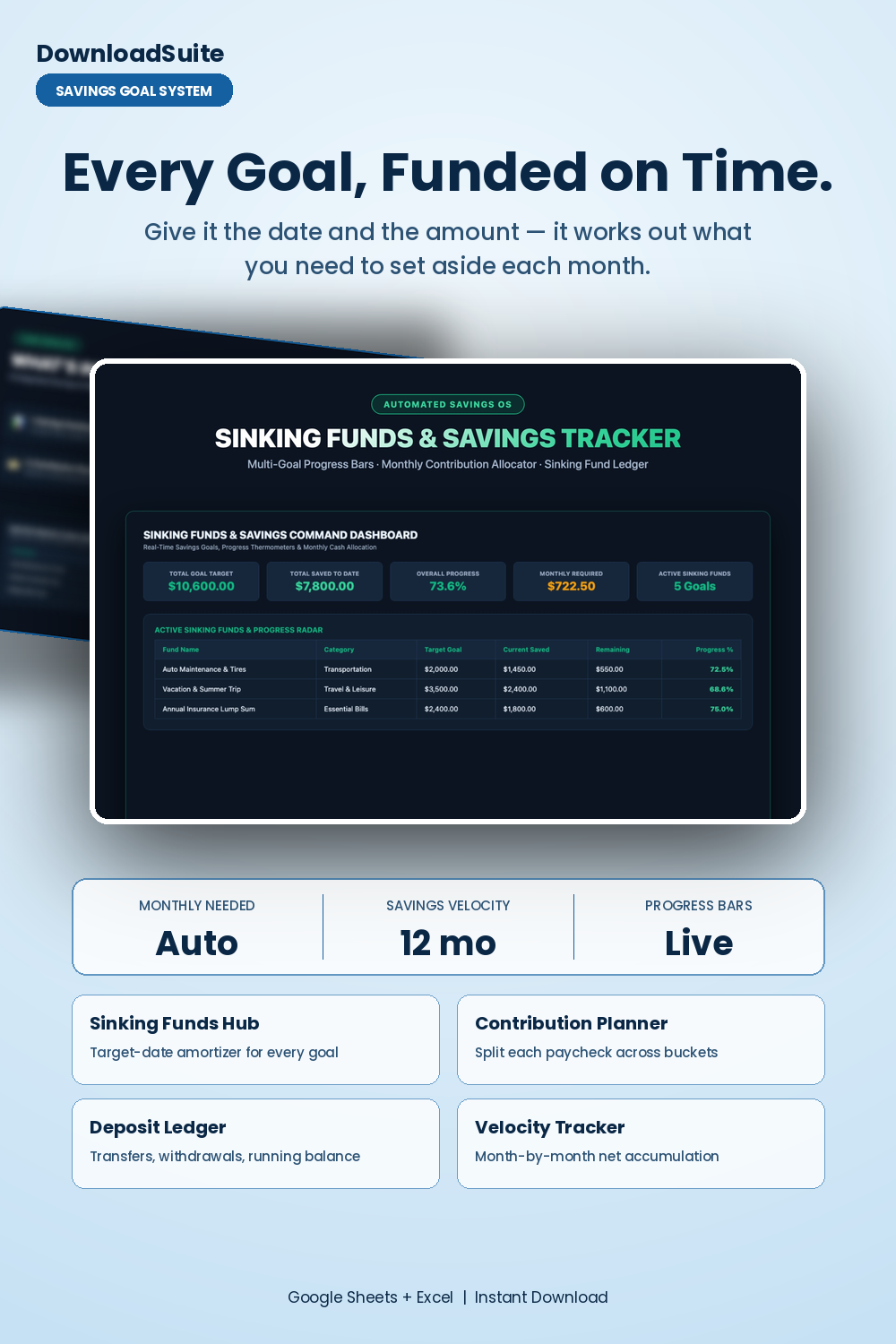
- Savings Command Dashboard (Live Total Goal Target, Current Saved & Overall Progress %)
- Master Sinking Funds Hub (Target date amortizer auto-calculates monthly needed per goal)
- Monthly Contribution Planner (Allocate paychecks across multiple savings buckets)
- Deposit & Expense Ledger (Track cash transfers, withdrawals & running balances)
- 12-Month Savings Velocity Tracker (Month-by-month net cash accumulation tracking)
- Companion AI Prompt Pack Included (Irregular expense audits & windfall allocation rules)
- Light & Dark Mode Included (Google Sheets + Microsoft Excel)
Instant digital download. All sales final. Message us anytime for help.
Take complete control of your savings goals, irregular annual expenses, and cash reserves. The DownloadSuite Sinking Funds Tracker & Savings Goal Visualizer is an automated personal finance operating system engineered specifically for budgeters, families, and savers looking to eliminate unexpected financial stress.
Stop getting blindsided by annual car insurance premiums, holiday gift shopping, home maintenance surprises, and vet bills. This all-in-one Google Sheets and Excel system organizes all your savings buckets in one place — from calculating dynamic monthly contributions based on target due dates to visual progress thermometers, transaction logs, and 12-month net savings accumulation tracking.
What's Included in This System:
- Savings Command Dashboard: High-contrast KPI cards for Total Savings Goal Target, Current Total Saved ($), Overall Progress %, Monthly Contribution Required, and Active Sinking Funds Count. Includes real-time progress thermometers and category distribution radars.
- Master Sinking Funds Hub: Organize funds across Car Maintenance, Travel, Insurance, Holiday Gifts, Pet Care, Medical, and Home Repairs. Automatically calculates the exact monthly contribution needed based on your target deadline.
- Monthly Contribution Planner: Allocate your monthly paycheck savings across all active sinking funds with target vs. actual contribution math.
- Deposit & Withdrawal Transaction Ledger: Track every cash transfer, expense deduction, and running fund balance with zero formula breakage.
- 12-Month Annual Savings Velocity: Month-by-month net savings growth tracking to visualize how your cash reserves accumulate over time.
- AI Prompt Guide Included: Complete companion prompt pack with 15 word-for-word prompt architectures for irregular expense audits, HYSA sub-account architecture, windfall allocation rules, and emergency fund runway stress-testing.
- Light & Dark Mode Included: High-contrast Dark Mode (Emerald Gold & Mint) for late-night budgeting plus clean minimalist Light Mode.
How to Use:
- Open the Google Sheets link or native Excel workbook and enter your target savings amounts and due dates in the Sinking Funds Hub.
- The sheet will automatically calculate your required monthly contribution for each goal.
- Log transfers and expenses in the Transactions Ledger and watch your visual savings progress meters update in real time.
What's inside
- Start Here Quick-Start & Sinking Fund Strategy Guide
- Savings Command Dashboard Tab
- Master Sinking Funds Directory & Allocator Sheet
- Monthly Contribution Planner Tab
- Deposit & Withdrawal Transactions Ledger Sheet
- 12-Month Savings Accumulation & Velocity Tab
- Companion Sinking Funds & Windfall Allocation AI Prompt Pack (AI_PROMPT_GUIDE.md)
- Instant Google Sheets Copy Links + Native Excel .xlsx Workbooks
FAQ
How does the sheet calculate the required monthly contribution?
The sheet compares your target due date against today and divides the remaining dollar amount by the exact number of months left, updating dynamically every month.
Can I track both emergency funds and sinking funds in this sheet?
Yes! You can categorize funds as Essential Emergency Buffers or Specific Sinking Funds (Travel, Auto, Holidays) with customizable priority sorting.
Does it work in Excel and Google Sheets?
Yes! Both native Microsoft Excel (.xlsx) workbooks and instant Google Sheets copy links in Light and Dark themes are included.