

Ultimate Travel Planner Spreadsheet & Vacation Hub (Google Sheets & Excel)
Google Sheets + Microsoft Excel · Light & Dark Modes
Group Expense Splitter, Day-by-Day Itinerary, Flight/Hotel Hub & Packing Matrix
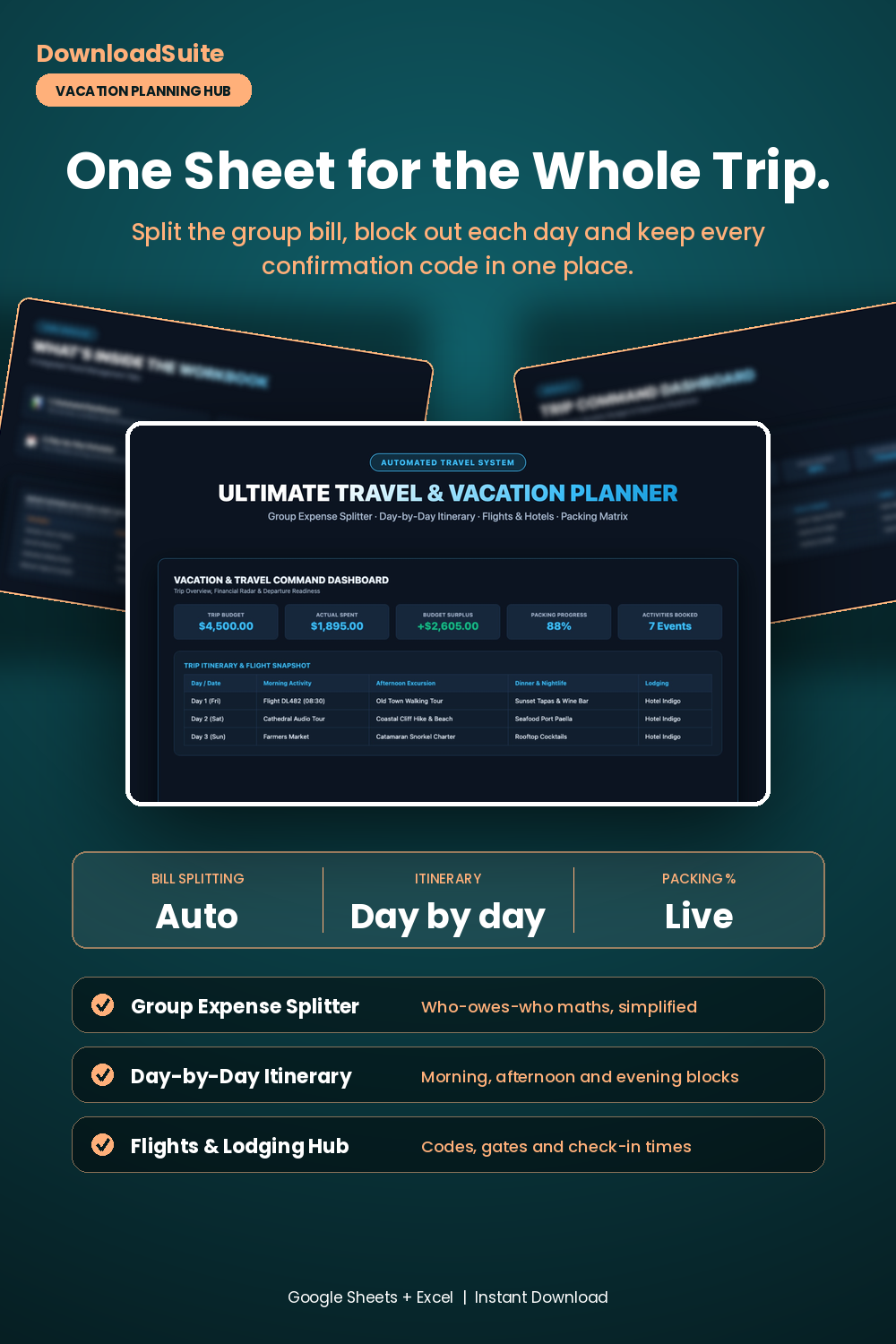
- Vacation Command Dashboard (Live Total Budget, Actual Spend & Packing Progress %)
- Group Expense Splitter (Automated Who Owes Who debt simplification math)
- Day-by-Day Travel Itinerary (Time-blocked morning, afternoon & evening activity scheduler)
- Flights & Lodging Hub (Centralized confirmation codes, gate numbers & check-in times)
- Smart Packing Matrix (Carry-on vs checked luggage allocation & weight limits)
- Companion AI Prompt Pack Included (Hidden gem itineraries & capsule wardrobe planning)
- Light & Dark Mode Included (Google Sheets + Microsoft Excel)
Instant digital download. All sales final. Message us anytime for help.
Take complete control of your vacation planning, group travel expenses, flight schedules, and packing lists. The DownloadSuite Ultimate Travel & Vacation Planner Spreadsheet is an automated travel command center engineered specifically for solo travelers, group trips, couples, and family vacations.
Stop juggling scattered confirmation emails, messy group text expense arguments, and forgotten essentials. This all-in-one Google Sheets and Excel system organizes your entire travel journey — from logging flight gates and hotel reservations to scheduling time-blocked day-by-day itineraries, automatically splitting shared group costs, and tracking luggage weights.
What's Included in This System:
- Vacation Command Dashboard: High-contrast KPI cards for Total Trip Budget, Actual Spent ($), Budget Surplus/Variance, Packing Completion (%), and Booked Activities Count. Includes an interactive itinerary snapshot feed.
- Flights, Hotels & Transportation Hub: Organize flight confirmation numbers, terminal/gate info, hotel reservations, check-in times, and car rentals in one master sheet.
- Day-by-Day Travel Itinerary: Time-blocked morning, afternoon, and evening activity scheduler with confirmation links, locations, and planned costs.
- Group Expense Splitter & Debt Solver: Log shared trip expenses, designate who paid and who split, and view automated 'Who Owes Who' net settlements with zero math.
- Master Packing & Luggage Weight Matrix: Categorized packing checklist (Documents, Tech, Clothing, Toiletries) with carry-on vs. checked bag allocation and weight limit indicators.
- AI Prompt Guide Included: Complete companion prompt pack with word-for-word prompt architectures for hidden gem itinerary generation, group expense settlement math, and ultralight capsule wardrobe planning.
- Light & Dark Mode Included: High-contrast Dark Mode (Coastal Azure) for travel planning plus clean minimalist Light Mode.
How to Use:
- Open the Google Sheets link or native Excel workbook and enter your flight numbers, hotel bookings, and travel dates into the Flights & Lodging Hub.
- Schedule daily excursions and dining reservations in the Day-by-Day Itinerary tab.
- Log shared group expenses in the Splitter tab to see real-time 'Who Owes Who' reimbursement totals.
What's inside
- Start Here Quick-Start & Travel Planning Best Practices Guide
- Vacation Command Dashboard Tab
- Flights, Hotels & Transportation Hub Sheet
- Day-by-Day Travel Itinerary Schedule Tab
- Group Expense Splitter & Debt Settlement Sheet
- Master Packing & Luggage Weight Matrix Tab
- Companion Travel Itinerary & Group Trip AI Prompt Pack (AI_PROMPT_GUIDE.md)
- Instant Google Sheets Copy Links + Native Excel .xlsx Workbooks
FAQ
How does the Group Expense Splitter calculate who owes who?
When you enter a shared expense and select who paid, the sheet automatically computes each travelers exact share and generates a simplified reimbursement table showing the minimum payments needed to settle all balances.
Can I access and edit this spreadsheet offline during flights?
Yes! In Google Sheets, enable offline access in the Google Sheets app or download the native Microsoft Excel (.xlsx) file to your laptop or phone for full offline editing.
Does it work in Excel and Google Sheets?
Yes! Both native Microsoft Excel (.xlsx) workbooks and instant Google Sheets copy links in Light and Dark themes are included.