

Wedding Budget Planner Spreadsheet (Google Sheets & Excel)
Google Sheets + Microsoft Excel · Light & Dark Modes
12-Category Budget Ledger, Vendor Payment Schedule, Guest RSVP Matrix & Timeline
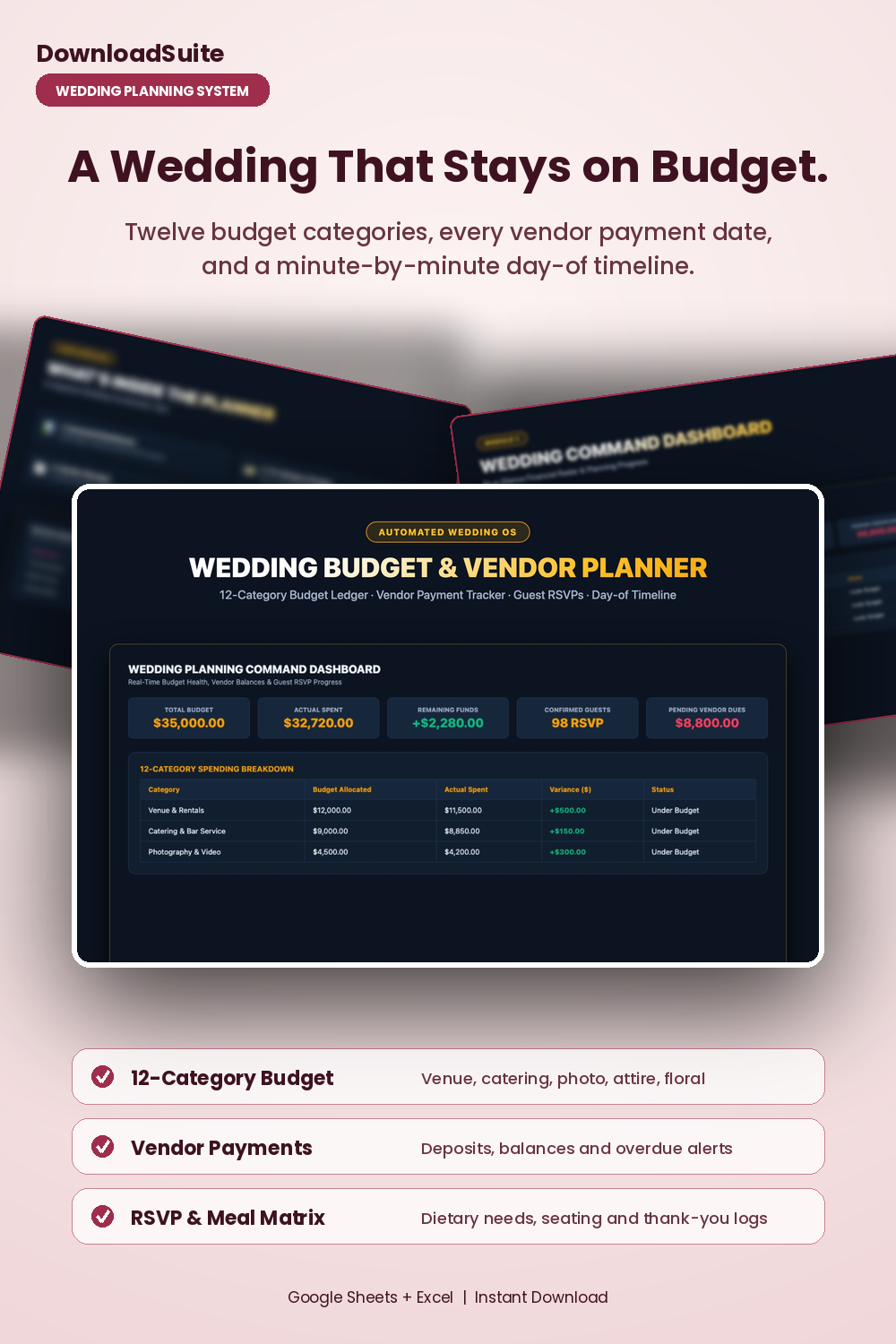
- Wedding Command Dashboard (Live Total Budget, Remaining Funds & Confirmed RSVPs)
- 12-Category Budget Ledger (Venue, catering, photo, attire, floral & decor variance math)
- Vendor Payment Schedule (Track contracts, deposits, balance due dates & overdue alerts)
- Guest RSVP & Meal Matrix (Dietary restrictions, table seating & gift thank-you logs)
- Day-of Master Timeline (Minute-by-minute schedule from hair/makeup to grand exit)
- Companion AI Prompt Pack Included (Vendor negotiation scripts & seating chart solvers)
- Light & Dark Mode Included (Google Sheets + Microsoft Excel)
Instant digital download. All sales final. Message us anytime for help.
Take complete control of your wedding budget, vendor contracts, guest RSVPs, and day-of timeline. The DownloadSuite Wedding Budget Planner & Vendor Command Center is an automated wedding planning operating system engineered specifically for engaged couples, brides, grooms, and wedding coordinators.
Stop stressing over hidden venue fees, missed vendor deposit deadlines, and chaotic guest spreadsheets. This all-in-one Google Sheets and Excel system organizes your entire wedding journey — from managing a 12-category budget with live variance calculations to tracking vendor contract payment schedules, guest meal selections, table seating, and minute-by-minute wedding day timelines.
What's Included in This System:
- Wedding Command Dashboard: High-contrast KPI cards for Total Wedding Budget, Actual Incurred Expenses, Remaining Funds ($), Confirmed Guest RSVPs, and Pending Vendor Dues. Includes an interactive 12-category spending breakdown with budget status flags.
- Master 12-Category Budget Ledger: Track estimated vs. actual costs across Venue, Catering & Bar, Photography/Video, Attire & Beauty, Floral & Decor, Music/DJ, Stationery, Rings, Transportation, and Emergency Buffers.
- Vendor Contract & Payment Schedule: Organize vendor contracts, initial deposit amounts, remaining balances, payment due dates, and automated overdue alert flags.
- Master Guest List & RSVP Matrix: Track household addresses, invitation tracking, RSVP statuses (Attending/Declined), meal preferences (Beef, Fish, Chicken, Vegan), dietary allergies, table numbers, and gift thank-you logs.
- Day-of Run of Show & Master Timeline: Minute-by-minute wedding day schedule from morning hair & makeup to first look, ceremony processional, cocktail hour, speeches, cake cutting, and sparkler send-off.
- AI Prompt Guide Included: Complete companion prompt pack with 15 word-for-word prompt architectures for vendor fee negotiation, seating chart dynamic solving, delicate RSVP follow-ups, and DJ cue sheets.
- Light & Dark Mode Included: High-contrast Dark Mode (Champagne Gold & Rose Quartz) for late-night wedding planning plus clean minimalist Light Mode.
How to Use:
- Open the Google Sheets link or native Excel workbook and set your target budget and guest count in the Settings tab.
- Enter vendor contracts and estimated line items in the 12-Category Budget and Vendor Manager tabs.
- Manage RSVPs and meal preferences in the Guest List and customize your wedding day schedule in the Day-Of Timeline tab.
What's inside
- Start Here Quick-Start & Wedding Planning Best Practices Guide
- Wedding Command Dashboard Tab
- Master 12-Category Wedding Expense Ledger Sheet
- Vendor Contract & Payment Schedule Tab
- Master Guest List, RSVP & Meal Matrix Sheet
- Day-of Run of Show & Master Timeline Tab
- Companion Wedding Vendor Negotiation & Timeline AI Prompt Pack (AI_PROMPT_GUIDE.md)
- Instant Google Sheets Copy Links + Native Excel .xlsx Workbooks
FAQ
Can I share and collaborate on this spreadsheet with my partner and wedding coordinator?
Yes! In Google Sheets, simply click Share to invite your partner, parents, or wedding coordinator with full real-time collaboration on any device.
Does it track vendor deposit due dates and remaining balances?
Yes! The Vendor Manager tab automatically calculates remaining balances and compares final due dates against today to flag upcoming or overdue payments.
Does it work in Excel and Google Sheets?
Yes! Both native Microsoft Excel (.xlsx) workbooks and instant Google Sheets copy links in Light and Dark themes are included.